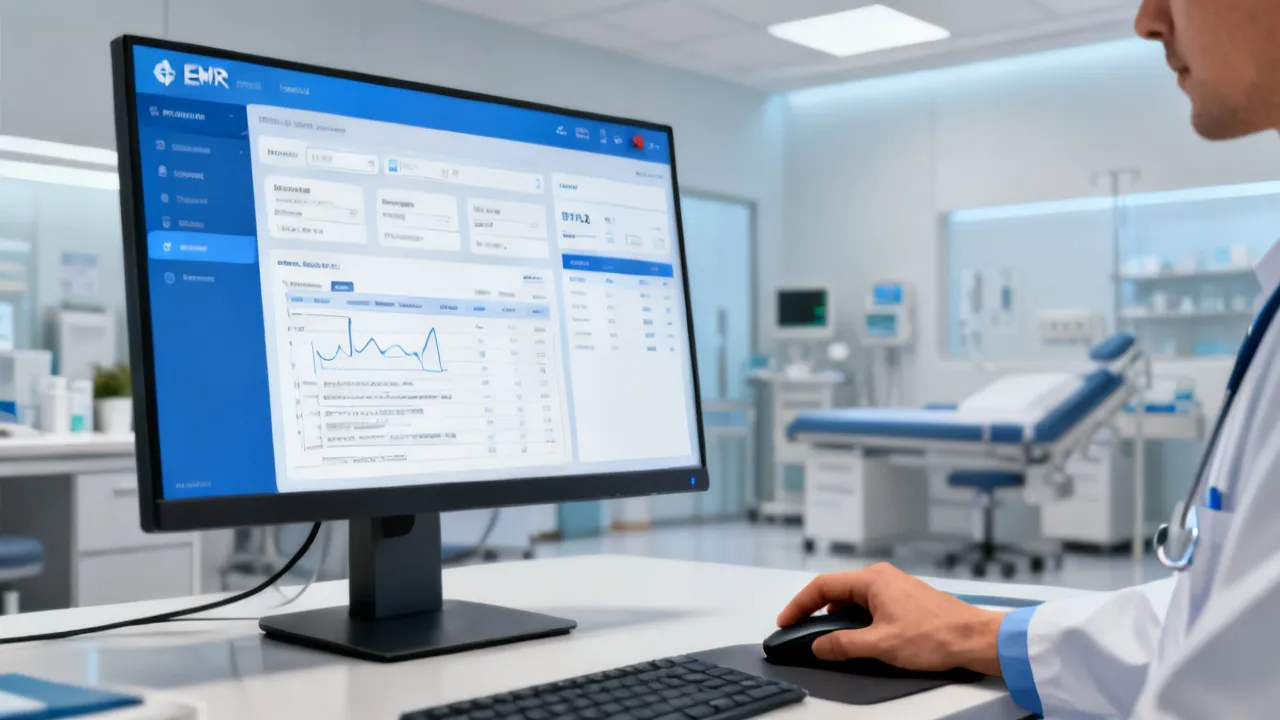
OpenEMR Demo Guide for EMR Workflow Optimization
This guide explains how to run an OpenEMR Demo to evaluate clinical documentation, appointment workflows, and data security in an objective way. OpenEMR is widely used as an electronic medical records platform, and a demo helps teams validate fit against real clinic needs. You’ll also find practical supplier and rollout considerations plus requirements to plan a responsible evaluation.
Why an OpenEMR Demo Matters for Real Clinic Decisions
An OpenEMR Demo is one of the fastest and most practical ways to test whether an electronic medical records (EMR) workflow actually matches day-to-day clinical realities—before your organization commits time, staffing, and budgets. In practical terms, a demo environment helps you verify whether charting, appointment handling, documentation templates, “billing-adjacent” workflows (where applicable), role-based access, auditability, and reporting align with how your team truly works under real constraints.
For EMR selection teams and implementation specialists, the value of an OpenEMR Demo is not simply whether the interface looks polished or whether the vendor can present a scripted highlight reel. The real purpose is to validate that the system supports safe, consistent documentation; reduces friction in clinical and administrative tasks; and offers a maintainable configuration path for your specific clinical model—without pushing your clinic into endless manual workarounds.
Because clinics vary drastically by specialty, patient mix, staffing model, and documentation standards, “fit” is rarely obvious from marketing materials or static screenshots. A proper demo allows stakeholders—clinicians, front-desk staff, compliance/privacy leaders, and IT—to evaluate the same set of workflows using the same roles and scenarios. That comparability is what makes a demo decision-responsible rather than opinion-based.
Background: What “OpenEMR Demo” Typically Evaluates
An OpenEMR Demo commonly includes guided navigation through core modules such as patient registration, problem lists, clinical notes, orders/documentation flows, and administrative or settings areas. Depending on the supplier’s approach and how they structure the evaluation, the demo may also cover user roles (e.g., clinician vs. receptionist vs. administrator), audit log visibility (what is recorded, how it is accessed, and whether it is understandable), and the ability to import or map data from your existing systems.
Even when a vendor offers a “standard demo” script, evaluation teams should treat the demo as a working session. The best demos are not passive tours—they are structured opportunities for your team to perform meaningful tasks that reflect actual workflows: a follow-up visit with existing history; a new patient intake that requires more documentation; a documentation-intensive appointment; a scenario with missing demographics that must be corrected safely; and a case that requires correct permissions and auditability.
Because a demo environment can differ from the final production system, evaluation criteria should focus on reproducibility: can your team complete tasks in a predictable way? Can the system support your clinical structure over time? And if a clinician changes documentation or reopens an encounter, does the system preserve integrity and support audit requirements?
Evaluation Priorities: What to Check During the Demo
To keep the evaluation grounded, think in terms of clinical operations, compliance readiness, safety, and operational resilience. Below are the critical checks an EMR implementation specialist would prioritize during an OpenEMR Demo.
1) Clinical Documentation Fit
Ask whether the demo supports your documentation needs with minimal friction and without forcing clinicians into “system-first” behavior that conflicts with clinical judgment. Documentation is where EMRs can either improve care continuity or create downstream risks through inconsistent recording. Therefore, evaluate not just whether notes can be created, but whether they can be created consistently, quickly, and in a way that supports data quality.
For example:
- Templates and note structures: Can clinicians enter structured or semi-structured notes without fighting the interface? Do templates support required fields while still allowing narrative where necessary?
- Flows across visit types: Do you see a predictable path from encounter creation to note completion? Does the system handle new vs. follow-up workflows differently in a way that feels natural and configurable?
- Medication and allergies usability: Are common updates quick? For instance, can users add, update, or reconcile medications and allergies without excessive clicks? Are medication lists easy to review and verify?
Even if the demo includes preloaded data, test realistic scenarios. A responsible demo evaluation should include at least:
- A follow-up visit: confirm what pre-existing information carries forward and whether the clinician must re-enter too much.
- A new patient intake: confirm whether demographic capture, history intake, and consent-related documentation workflows are manageable.
- A documentation-intensive appointment: evaluate time-on-task and whether clinicians can complete notes without bypassing key fields.
Also ask whether documentation supports later review. Notes should be understandable to other roles and should not become “write-only.” For example, can clinicians quickly locate prior assessment history? Can staff reconcile problem lists in a way that supports continuity of care? If you expect team-based care, consider whether note structure supports shared responsibilities or whether it forces individual-only documentation that undermines teamwork.
2) Appointment and Front-Desk Workflow
For many clinics, the most immediate bottlenecks happen at scheduling, arrival, and check-in. A strong EMR should not treat the front desk as an afterthought. During the OpenEMR Demo, evaluate how well scheduling and patient encounter linking work together—because that connection determines whether the “right patient meets the right clinician at the right time” without chaotic workarounds.
During the demo, evaluate:
- Scheduling logic: Can appointment types, durations, provider availability, and scheduling rules be configured to match practice needs? For example, if your clinic uses 15-minute follow-ups and 30-minute intake assessments, does the system support that cleanly?
- Check-in and encounter linking: How quickly does the system attach a patient to the correct encounter? Can reception staff handle this with minimal clicks and clear confirmation steps?
- Queue behavior: Is there a clean path from “arrived” to “seen”? Can roles operate without constant cross-screen coordination? If a clinician is running late, can the queue still be managed responsibly?
Clinics in many regions—whether busy urban practices near major transit hubs or smaller community facilities—benefit when scheduling and encounter creation are tightly integrated. If the demo shows scheduling as a separate feature with fragile or indirect linking, you may later see issues such as:
- patients being checked in without proper encounter assignment,
- clinicians documenting on the wrong encounter,
- front desk staff creating duplicate encounters to fix problems, and
- audit confusion when the record of “what happened when” becomes unclear.
A good demo will show you the intended workflow for normal operations and also how it handles exceptions: a patient who arrives early, a patient who arrives late, a patient with incomplete information, a provider schedule change, and rescheduling.
3) Access Control and Safety-First Permissions
EMR safety is partly technical and partly procedural. A serious OpenEMR Demo should let you test role-based access behavior using the roles your clinic will actually deploy. Access control is essential not only to protect privacy, but also to maintain clinical integrity: clinicians should not lose access to necessary information due to incorrect permissions, and non-clinical roles should not see sensitive details they should not handle.
During the demo, evaluate:
- Role separation: Can different users see only what they must, and only that? If a role cannot access certain record sections, does the system show a clear reason or provide a safe alternative (e.g., requesting access through defined processes)?
- Permission boundaries: Can administrators manage settings and user accounts without accidentally exposing sensitive content? Do changes require proper privilege levels?
- Auditability: Can you identify who accessed or changed patient-related information—at least at an overview level that supports internal governance?
If you cannot confirm access control behavior during the demo, you should request a follow-up technical walkthrough before decision-making. In responsible implementations, access control is not a “nice-to-have.” It becomes a foundation for compliance, clinical safety, incident response, and downstream trust.
Also consider whether the system supports operational accountability. For example, if a prescription document is updated, does the system record the actor and time? If a clinician edits a note after signing, can you audit the change and understand the history? Even when your organization does not require every detail to be visible to every role, the system should capture the necessary audit trail in a usable and defensible way.
4) Data Handling and Integration Readiness
An EMR rarely works in isolation. During the demo, clarify how the platform handles data and interoperability at a practical level—not just as a feature list.
Evaluate:
- Data import/export: How does the system migrate existing patient records or historical documentation? Does it support mapping, validation, and error reporting? Are there tools for cleansing and reconciliation?
- Interoperability: Are there documented paths for exchanging data with other systems (labs, imaging, patient portals, referral workflows)? What is required to activate them? Is integration achieved through standard protocols, configurable interfaces, or custom development?
- Backups and recovery concepts: While the demo may not show the full operational procedures, it should explain the approach and responsibilities. You should understand the platform’s backup model, retention approach, and recovery assumptions.
Rather than focusing only on feature availability, evaluate the implementation effort. Some systems can “integrate” on paper, but require extensive engineering and ongoing maintenance to keep integrations stable. Ask the supplier how configuration changes are managed over time. For example, if you add a new department or adjust appointment scheduling rules, do integrations break or require redevelopment?
Similarly, ask how the platform handles data integrity in the face of real-world errors. What happens when a clinician tries to create an order with incomplete required fields? Does the system validate data consistently? Can you correct errors safely without creating duplicates? In many clinics, the majority of operational friction comes from data inconsistencies that should be caught early rather than corrected after the fact.
Price and Supplier Considerations (How to Discuss “OpenEMR Demo” Cost)
The term Openemr Demo is often used in vendor communications, but “price” can mean multiple things: demo fees (if any), implementation services, hosting costs, training, support, and ongoing maintenance. Since costs vary by scope, the objective approach is to request a structured quote or proposal that separates items clearly.
When discussing costs, request line items for:
- Initial setup: configuration, environment preparation, and initial data migration planning
- Training: role-based onboarding sessions and materials, including practical exercises
- Ongoing support: help desk coverage, issue response expectations, and maintenance cadence
- Infrastructure: hosting model, security tooling, backup requirements, and monitoring expectations
If you’re evaluating multiple suppliers, require that each proposal explains what is included in each line item and what is excluded. In some markets, suppliers may provide a demo at a low price but charge heavily for implementation and training. “Demo pricing” alone can therefore be misleading if the real costs are hidden in add-ons or separate phases.
Supplier details should also be assessed beyond marketing claims. A credible supplier typically provides:
- named roles for project leadership (implementation lead, trainer, and technical support contact)
- a clear plan for requirements gathering and workflow validation
- documentation for access control and data governance expectations
- a structured timeline with deliverables and acceptance criteria
Additionally, consider whether the supplier can support your governance model. For example, who is accountable for security decisions? Who owns configuration changes after go-live? If something breaks during integration, what is the escalation path?
When you ask these questions, you convert the “OpenEMR Demo” conversation from cost guessing to implementation clarity—so procurement decisions remain grounded in operational reality.
Localization Considerations: Adapting EMR Workflows to Local Practice
If your evaluation is for a practice serving healthcare norms and administrative processes of a specific region, the demo should reflect local operational patterns as closely as possible. For example, clinics may require documentation conventions aligned to local clinical practice, referral workflows that match local referral expectations, and internal reporting habits tied to local scheduling and administrative cycles.
If the provided keywords included a place (city or country), substitute “nearby” as the evaluation setting—without assuming that the same configuration automatically meets local administrative expectations. Localization is rarely a one-click adjustment; it is more often a requirements workshop followed by configuration and validation.
In many real-world deployments, the winning approach is to treat localization as requirements validation rather than a final “settings tweak.” Clinicians and front-desk staff should confirm that the EMR supports how patients are registered, how visits are categorized, and how common documentation tasks are performed under local constraints such as appointment cadence, documentation conventions, and reporting periods.
Consider also whether localization includes:
- Language support: user interface and clinical documentation language, including abbreviations commonly used in your region
- Form and template conventions: how identifiers, address formats, and clinical categories are entered and validated
- Referral and communication workflows: how referral documentation is captured and tracked
- Reporting requirements: how your organization expects to produce operational and clinical reports
Even if the EMR core features remain the same, the operational model changes. A demo should show your local “shape” of work, not just generic workflows.
Comparison Table: Typical Demo vs. Production Outcomes
The following comparison table helps you interpret what an OpenEMR Demo can realistically confirm and what must be verified later during rollout planning. Use this table as a reasoning tool: anything that affects safety, compliance, or clinical integrity should be validated through production-like testing where possible.
| Evaluation Area | What the OpenEMR Demo Can Show | What You Must Verify for Production |
|---|---|---|
| Clinical documentation | Template behavior, note entry flow, encounter completion | Final configuration, clinician usability under full patient loads, data quality checks |
| Scheduling & check-in | Appointment-to-encounter linking steps and basic queue flow | Operational performance, role workflows, and exception handling (no-shows, reschedules) |
| Access control | Role examples and permission boundaries during guided tasks | Exact permission mapping, audit and logging procedures, administrative governance |
| Data migration planning | General approach and demo import/mapping previews | Migrating historical records accurately, validation rules, and contingency plans |
| Reporting | Demo screenshots of reports or dashboards | Report definitions, data completeness, and repeatability over time |
| Security posture | Conceptual overview of security measures | Actual hosting model, monitoring, backups, incident response roles, and contractual commitments |
In other words: the demo can validate whether the workflow is possible and whether it feels reasonable. Production verification confirms whether the workflow is reliable under real operating conditions.
Suggested Step-by-Step Guide for Running an OpenEMR Demo
Below is a practical, step-by-step evaluation workflow designed to keep the process objective, comparable across suppliers, and focused on actionable requirements. Adjust roles and scenarios based on your clinic size, specialty mix, and documentation standards.
Step 1: Define success criteria before the demo
- Identify 5–10 “must-do” tasks that represent real daily work (e.g., new patient intake, follow-up note completion, prescription documentation, visit closure, problem list update, and generating a basic clinical summary).
- Assign owners: clinical lead for documentation, admin lead for scheduling/queue management, and IT lead for access/security and integrations.
- Create a lightweight rubric with scoring categories such as workflow clarity, time-on-task, risk level, data integrity controls, and permission safety.
This step prevents teams from getting distracted by “feature excitement” that does not translate into operational value. It also helps you ask targeted questions during the demo instead of general “do you support X?” queries.
Step 2: Prepare realistic test scenarios
- Use representative patient types and encounter lengths. If your clinic sees both brief follow-ups and complex assessments, include both.
- Include at least one exception scenario (e.g., missing demographics, late-arriving patient, corrected entry after a provider reviews the record, or a scenario where an order must be cancelled and replaced).
- For each scenario, define the “done” condition. For example: “The encounter is completed, signed (if applicable), and the documentation is reviewable by another clinician.”
By specifying done conditions, you ensure the demo is tested against outcomes rather than appearances.
Step 3: Request role-based walkthroughs
- Ask the supplier to run the demo with each role you will deploy: receptionist, clinician, administrator (and any additional roles like nurse coordinator or billing operations if those will interact with the EMR).
- Confirm that each role experiences only the screens and actions they should. Observe whether the UI hides sensitive functions appropriately or whether it merely shows error messages after someone clicks into restricted areas.
- Ask about “handoff” scenarios. For example: a clinician documents; what happens when the front desk needs to schedule the next appointment? Does the queue reflect updates correctly?
Role-based evaluation reduces the risk of selecting a system that works for clinicians but creates operational chaos for the front desk—or vice versa.
Step 4: Validate configuration flexibility
- Ask what can be configured without engineering work, and what requires technical assistance. Clinically relevant configuration includes templates, note fields, problem categories, appointment types, and scheduling durations.
- Clarify what requires technical assistance and the estimated effort. For example, adding a new appointment type or modifying a note template should not require a full engineering cycle unless it is justified and documented.
- Request examples of how configuration changes are versioned or tracked. Even in smaller systems, configuration governance matters because it affects future troubleshooting and training.
This is one of the most overlooked demo evaluation points. A clinic does not just buy “software”—it buys the ability to evolve safely and responsibly.
Step 5: Evaluate data governance expectations
- Ask how changes are tracked and how corrections are handled. Can users correct demographic data without breaking relationships to encounters? Can corrections be audited?
- Confirm the approach to data retention, audit visibility, and controlled access. What can be deleted? What can be edited? Are there audit logs for modifications?
- Ask how the system handles record locking or sign-off if applicable. In responsible documentation workflows, post-sign documentation changes must be traceable.
Data governance questions are not abstract. They become urgent when an error occurs—whether due to a typo in demographics, an incorrect order entry, or a clinical note that needs amendment.
Step 6: Review training approach
- Ask whether training is role-based and includes practical exercises. Training should teach workflows, not just where buttons are located.
- Confirm if there are materials for ongoing onboarding. Clinics often onboard new staff, especially reception staff or rotating clinicians, so “one-time training” is usually insufficient.
- Ask whether training includes test scenarios and competency checks. A mature supplier will align training to defined workflows and provide guidance on what “correct use” looks like.
During the demo, ask how the supplier will measure training success. If they do not have a method, ask them to propose one. A repeatable approach reduces variability after go-live.
Step 7: Collect evidence and score outcomes
- Create a scoring rubric aligned to your success criteria and have each stakeholder score the same tasks independently.
- Capture time-on-task and usability friction points qualitatively (what slowed staff down and why?). For example: too many clicks, unclear field validation messages, unclear queue status, or difficulty locating prior notes.
- Record concrete examples rather than impressions. Instead of “the UI was confusing,” capture “it took 6 minutes to link the patient to the correct encounter after scheduling.”
This approach turns the demo from an experience into an evidence package you can use for procurement and project planning.
Step 8: Request a follow-up technical session
- If any gaps appear in access control, integration paths, or migration planning, schedule a dedicated technical walkthrough rather than forcing answers into the demo timeline.
- Ask for documentation: access control model, audit log specifics, integration overview, and migration tooling and validation approach.
- Clarify assumptions: what data formats are supported, what mapping rules apply, and how data quality issues are handled.
A follow-up session prevents misunderstandings. Demos sometimes focus on showing workflows, but technical sessions verify how those workflows behave under real deployment conditions.
Conditions and Requirements to Ask the Supplier
To ensure the OpenEMR Demo is meaningful, set clear conditions in writing. The objective goal is to reduce the risk that the demo is “top-case” rather than implementation-realistic—meaning it looks great in a controlled scenario but fails when your real workflows, staff, and patient records are involved.
To keep evaluation consistent across suppliers, include requirements such as:
- Demo data realism: Ensure the demo can reflect relevant workflows, not only generic examples. Confirm whether the demo uses data structures similar to what you expect to migrate.
- Role fidelity: Confirm the walkthrough uses the roles and permissions structure you plan to deploy.
- Documentation alignment: Ask how clinical templates or encounter documentation will be mapped to your practice model. You want to ensure templates will be configured properly rather than redesigned during go-live chaos.
- Security explanation: Request a security and access control explanation appropriate to your governance needs, including audit logs and administrative safeguards.
- Migration planning: Require a migration approach outline, including validation and rollback concepts. Explain how they confirm migration accuracy.
- Reporting definitions: Ask how key reports are defined and whether they can be reproduced identically after go-live. Reports must be repeatable and explainable, not just visually appealing.
- Exception handling: Request at least one exception workflow test (e.g., corrected patient data, cancelled order, late check-in). This reveals whether the system supports real operational variance.
Industry Context: How EMR Demos Fit into Responsible Implementation
In EMR selection processes, demos serve as a decision-support step, not a guarantee. Internationally, health information systems are evaluated for usability, safety, confidentiality, and interoperability. Privacy and security are particularly important because EMRs deal with sensitive patient data and must be managed in a way that supports trust, auditability, and regulatory compliance.
For example, the importance of privacy and security principles is reinforced through frameworks and guidance from established bodies such as the U.S. Department of Health and Human Services (HIPAA) and guidance around health IT interoperability and patient safety from recognized standards organizations. While every country and organization has its own compliance obligations, the principles remain consistent: protect information, document access, support safe clinical workflows, and ensure systems can exchange data reliably when needed.
When comparing suppliers offering an OpenEMR Demo, aim to validate that the vendor can help you meet governance expectations and support a maintainable configuration path—not just deliver a pleasant interface in a controlled environment. Responsible implementation is about lifecycle management: planning, configuration governance, training, security operations, monitoring, and support processes that remain stable after go-live.
What an Expert Would Consider “Red Flags” in a Demo
An experienced implementation lead might treat the following as warning signals. A demo is an opportunity to surface risks early.
- Unclear access control behavior: If role permissions cannot be demonstrated concretely, you may face production issues such as overexposure to sensitive data or missing access for clinicians, both of which can disrupt operations and raise compliance concerns.
- Overpromising on customization: If the supplier implies extensive changes without discussing effort, timelines, dependencies, or ongoing maintenance implications, caution is warranted. Customization can become a long-term cost and risk factor.
- Vague migration plans: Data migration is often the highest operational risk; unclear validation steps are a major concern. Ask how they handle mapping errors, duplicate records, incomplete demographic data, and conflict resolution.
- Reporting inconsistencies: If reports look “good” in screenshots but definitions are unclear, you may end up with unusable metrics. Reporting should be defined, testable, and reproducible—especially if reports are used for clinical management or compliance reporting.
- Exception workflows are missing: Many demos avoid showing “bad day” scenarios. If the system cannot handle common exceptions, production risk increases significantly.
- No clear ownership model: If it is not clear who owns configuration changes post-go-live, who escalates incidents, and who maintains integrations, your clinic may get stuck in a responsibility gap.
These red flags do not automatically disqualify a vendor, but they should prompt deeper technical sessions and documented remediation plans.
OpenEMR Demo and Procurement: Building a Comparable Decision Package
Whether you are looking for a Openemr Demo to start internal alignment or you’re preparing a formal procurement package, the strongest approach is to create a comparable evaluation dossier. This ensures you compare systems fairly and can justify your decision to stakeholders.
Include:
- Your task list and test scenarios: so each supplier knows what “success” looks like and you can compare apples-to-apples.
- Supplier responses to demo requirements: document what they demonstrated and what they could not demonstrate.
- Notes on usability friction and configuration gaps: time-on-task issues, confusing steps, missing fields, or unclear workflow transitions.
- Summary of the proposed implementation plan and responsibilities: who does what, when, and how acceptance criteria will be verified.
This method reduces bias and ensures “demo impressions” do not outweigh verified implementation feasibility. It also helps your governance and procurement teams understand the rationale for selection based on structured evidence.
When procurement is involved, decision-makers often need clarity on risk. Your evaluation dossier should therefore include not only “what worked” but also “what risk remains” and “what must be validated in production planning.” A good EMR evaluation package makes these residual risks explicit rather than implicit.
Deep Dive: Practical Scenarios to Test During an OpenEMR Demo
To make your evaluation even more actionable, consider adding scenario-based testing beyond the supplier’s standard walkthrough. These scenarios are designed to reflect how clinics actually behave under time pressure, staffing variability, and clinical complexity.
Scenario A: New Patient Intake That Must Avoid Duplicate Records
Ask the demo team to walk through registering a new patient who shares partial identifiers with an existing record (e.g., same last name and similar date of birth). Evaluate:
- Does the system detect possible duplicates?
- How does reception resolve the issue?
- Is the workflow clear enough to prevent accidental creation of a duplicate patient record?
This matters because duplicate records create downstream problems: scattered medical histories, incorrect allergy lists, inconsistent medication histories, and reporting inaccuracies.
Scenario B: Follow-Up Visit With Carry-Forward and Reconciliation
Test a follow-up visit that should carry forward relevant clinical data. Evaluate:
- What is automatically carried forward?
- What must be re-confirmed by the clinician?
- Are medication and allergies easy to reconcile?
In many clinics, the quality of follow-up documentation determines care continuity. A good EMR reduces the risk of missing reconciliation steps while avoiding redundant data entry.
Scenario C: Clinician Documentation Under Time Pressure
Ask to run a documentation workflow for a visit type known to require detailed notes. Evaluate:
- Time to create and complete an encounter note
- How validation behaves when required fields are missing
- Whether the note is legible and reviewable by others
Ask the clinician to narrate what they would do in a real day. Their experience is critical because EMRs should support the clinician’s reasoning process rather than obstruct it.
Scenario D: Exception Handling—Late Patient, Corrected Encounter Link
Simulate a late-arriving patient. Evaluate how the system handles:
- Checking in the patient
- Linking to the correct encounter
- Changing appointment or encounter details without breaking the record trail
Clinics often rely on accurate encounter linking. If staff need to “fix things manually” by creating duplicates or altering timestamps in confusing ways, risk becomes operational and compliance-related.
Scenario E: Role Permissions—What Can Reception See vs. What Clinicians See
Ask to view the same patient encounter using different roles. Evaluate:
- Whether reception can see necessary scheduling and visit status
- Whether sensitive note content is appropriately restricted
- Whether clinicians can perform full documentation actions without permission barriers
Test at least one action that requires privilege (e.g., editing a sensitive field or managing a clinical note state) and observe how the system behaves when a role lacks permission.
Scenario F: Reporting—Verify That Numbers Are Explainable
Request example reports tied to your clinic’s operational needs. Evaluate:
- What data sources feed the report?
- Is the report definition clear?
- Can you reproduce outcomes using similar patient data scenarios?
Reporting used for clinical operations must be trustworthy. Screenshots are not enough; report definitions and data completeness behavior must be validated.
FAQs
1) What is an OpenEMR Demo?
An OpenEMR Demo is a guided evaluation environment where a supplier or implementation partner demonstrates core EMR workflows—such as patient registration, clinical documentation, and administrative settings—so your team can assess fit for your clinic’s operations.
2) Does an OpenEMR Demo include real patient data?
Often, demos use anonymized, sample, or synthetic data. For responsible evaluation, ask the supplier what data is used and how privacy and governance are handled, especially when demonstrating workflows that resemble your real environment. You should also confirm whether any realistic identifiers are handled in a privacy-safe way.
3) How should we evaluate documentation quality during the demo?
Test note entry for representative visit types, confirm template behavior, and assess how quickly clinicians can complete an encounter without rework. Also evaluate whether documentation supports consistent data capture and review, including how other roles can read and interpret the note later.
4) Can we compare prices across suppliers when the demo itself is the same?
Yes—by comparing what each proposal includes: configuration scope, training hours, support model, hosting/infrastructure responsibilities, migration planning, reporting needs, and any customization assumptions. Demo access alone rarely reflects total cost, and implementation services usually drive the real cost of success or failure.
5) What supplier details should we request before choosing?
Request clarity on implementation roles, project timeline assumptions, security/access control approach, support coverage, training plan, and how customization is handled. Ensure you can map responsibilities between your team and the supplier. Also ask how acceptance criteria will be validated and who signs off on go-live readiness.
6) Are there specific requirements we should set for the demo?
Yes. Specify role-based walkthroughs, realistic workflows, access control demonstration, migration planning discussion, and reporting definition review. Put these as acceptance criteria so each supplier demonstrates the same capabilities. If you want comparable evaluation, define scenarios and “done conditions” up front.
7) How long should we run the OpenEMR Demo?
Duration varies by clinic complexity, but a meaningful evaluation often includes multiple roles and scenarios, plus a follow-up technical session for gaps. Aim for enough time to perform tasks, not just watch a scripted presentation. A rushed demo tends to hide workflow friction and permission edge cases.
8) What if the demo doesn’t show everything we need?
Use the gap list to request a follow-up session, a configuration walkthrough, or a technical discussion. If gaps cannot be resolved for production, that outcome should factor into your decision and your risk assessment. Consider whether the missing capability can be addressed during implementation without destabilizing security, documentation, or reporting.
Conclusion: Use the OpenEMR Demo to Reduce Implementation Risk
Running an OpenEMR Demo with a structured, evidence-based approach helps your organization evaluate EMR suitability on clinical workflow, access control, and operational readiness. When you treat the demo as the beginning of requirements validation—supported by a clear comparison table, step-by-step testing, explicit supplier conditions, and role-based scenarios—you position your team to make a more reliable decision and reduce avoidable implementation risk.
In the end, the best demo is not the one that impresses the most people in the room. It is the one that allows your real stakeholders—clinicians, front-desk staff, and IT/security leaders—to complete realistic tasks safely and efficiently, with clear governance and a credible path to production success.