OpenEMR Demo Guide for Safe EMR Evaluation
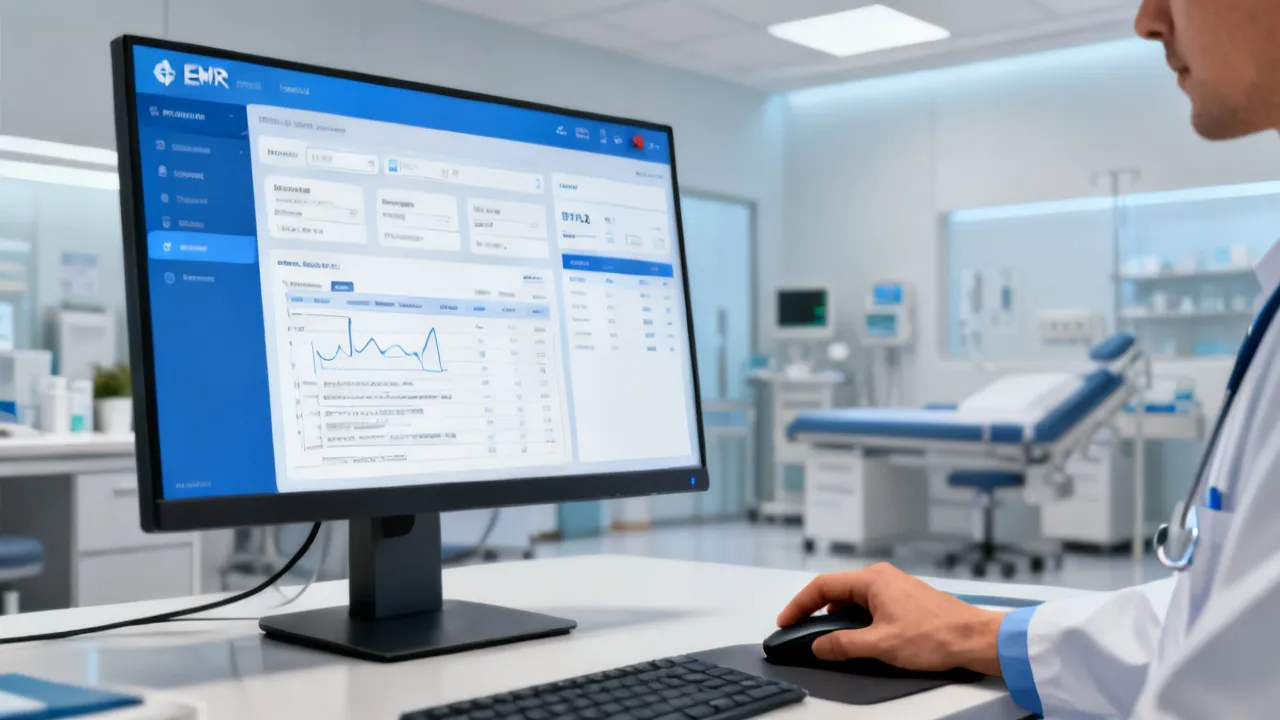
This guide explains how to evaluate an OpenEMR Demo responsibly, compare features, and prepare for a smooth implementation. OpenEMR is widely used open-source electronic medical record software for clinics and hospitals. The demo helps teams validate workflows, roles, data entry, and reporting needs before procurement, configuration, and training decisions.
Start With an OpenEMR Demo to Reduce EMR Implementation Risk
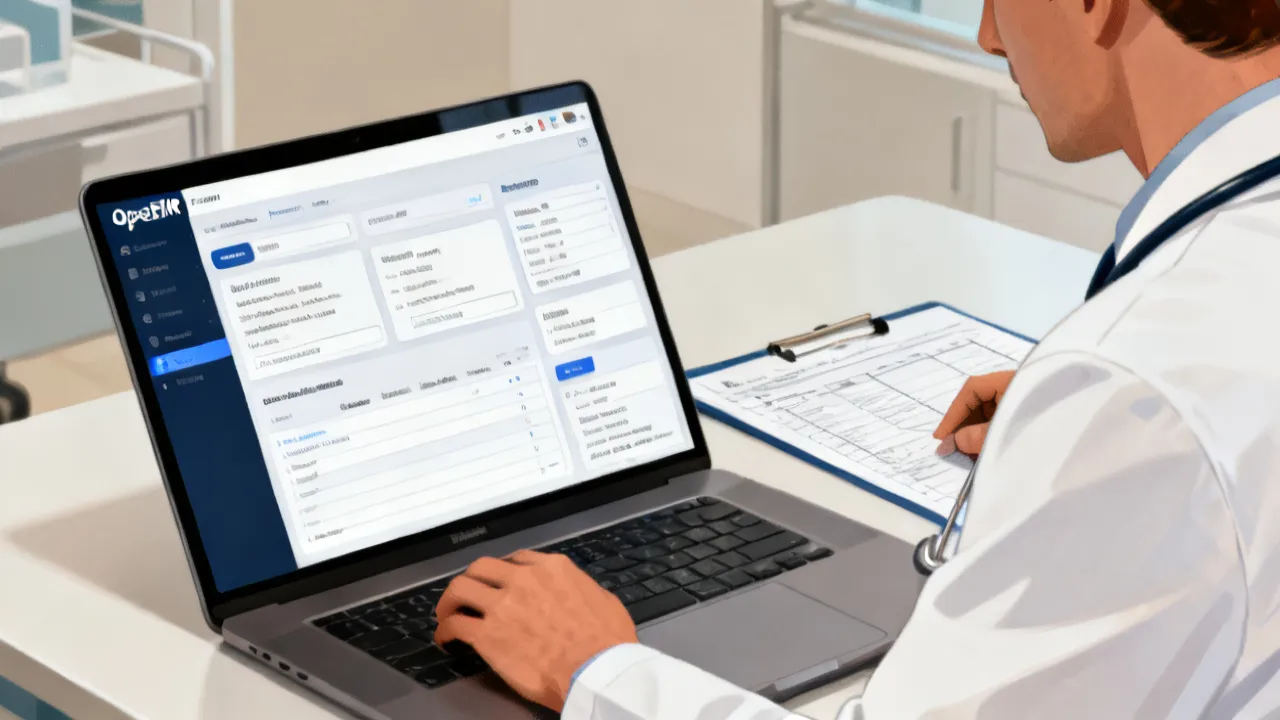
An OpenEMR Demo is the very practical way to assess whether an electronic medical record system supports your clinical workflows before you invest in deployment, configuration, and training. For decision-makers, the key is not just “seeing screens,” but verifying that documentation, appointment management, patient registration, clinical notes, billing-related workflows, and reporting align with day-to-day operations.
From an industry perspective, many EMR projects succeed or fail on evaluation quality. A good demo session should clarify how users navigate the system, how roles and permissions are handled, how data is structured, and how the software behaves when real-world cases arrive—new patients, follow-ups, lab results, referrals, and reporting requirements. When you plan the demo with measurable criteria, you avoid costly rework later.
In practical terms, an EMR initiative is not only a technology purchase; it is a workflow transition. The demo is your earliest structured rehearsal of that transition. Done properly, it reveals usability gaps, configuration assumptions, training needs, integration dependencies, and governance requirements while there is still time to change course.
Done poorly, the demo becomes a passive marketing event where stakeholders admire interface design but cannot confirm operational feasibility. The result can be a false sense of readiness, followed by implementation delays and staff frustration. The goal of this article is to help you treat an OpenEMR Demo as a risk-reduction process—one that produces concrete evidence for procurement, planning, training, and go-live decisions.
What an OpenEMR Demo Typically Covers (and What to Verify)
An OpenEMR Demo usually showcases core modules used in healthcare settings—commonly including patient registration, scheduling, clinical documentation, and record retrieval. However, the demo value depends on what you test. The strongest evaluation questions are workflow questions: can your staff complete critical tasks quickly and accurately, and can the system support your clinical documentation style?
When evaluating OpenEMR Demo options, focus on the end-to-end experience across the roles that will use the system. Many implementation failures stem from the “handoff” points between staff, such as: front desk creating or confirming patient demographics; clinicians documenting encounters; billing or coding teams extracting required information; and management reviewing operational dashboards. A demo that only shows screens without validating handoffs often misses the most expensive bottlenecks.
When evaluating, focus on:
- Clinical workflow fit: Does the interface support your visit types, note templates, and documentation habits? Can clinicians document in a structured yet efficient way that matches your standards?
- Navigation and data entry speed: Can clinicians and front-desk staff complete tasks with minimal friction? Does the system require many clicks for common actions?
- Patient record structure: Are demographics, visits, diagnoses, medications, and history easy to retrieve and verify? Can staff quickly find what they need during time-sensitive encounters?
- Role-based access: Can administrators and clinicians be granted appropriate permissions without oversharing? Are there clear boundaries between clinical and administrative views?
- Reporting and audit readiness: Can you retrieve patient lists, visit summaries, and relevant operational reports? Can you support audit and compliance reporting expectations?
Even if the demo looks polished, you should still validate how the system handles edge cases: missing demographics, duplicate registration attempts, multi-visit histories, and follow-up scheduling.
Edge cases matter because they expose data quality problems and workflow breakdowns. A real-world practice rarely operates with perfect data. Therefore, ask the supplier to demonstrate how the system handles:
- Duplicate patients (similar names, different IDs): how are duplicates detected and resolved?
- Incomplete records (missing phone number, address, allergies): what validations appear and who corrects them?
- Multiple encounters on the same day: can users separate visits cleanly?
- Unscheduled or urgent visits: can you document effectively when scheduling data is incomplete?
- Referrals and external documents: how are referral reasons captured and communicated?
- Medication changes across visits: do medication histories remain consistent and traceable?
These questions also affect clinician adoption. If staff routinely experience unclear behavior when the system deviates from “happy path” scenarios, adoption suffers—even when the base system is otherwise functional.
Why “Demo Quality” Matters More Than Feature Count
In healthcare IT, a checklist of features rarely predicts implementation success. Two organizations can look identical on paper—same specialty, similar patient volumes—yet experience very different outcomes because of training approach, data migration readiness, and clinical adoption practices.
An OpenEMR Demo should therefore be evaluated as a change-management rehearsal. The demo is where you test:
- How staff will learn: Are there clear screens and logical steps? Can new users reach competence without excessive manual support?
- How errors are prevented: Are there confirmations, validations, and controlled data entry? Where are safeguards built into the workflow?
- How issues are resolved: Is there a clear escalation path for problems discovered during evaluation?
- How the team communicates expectations: Are roles, responsibilities, and governance defined early?
This is the difference between a “view-only” walkthrough and a demo that produces actionable decisions.
To measure demo quality, you want observable evidence. For example, rather than asking whether the system supports structured documentation, ask to see the exact steps a clinician follows to create and complete a structured note. Then time the workflow or ask your clinician evaluators to complete it themselves.
Similarly, instead of asking whether reporting exists, ask for a specific list or report that your leadership will want. Then evaluate whether:
- The report output is understandable without heavy manual work.
- The filter options support real operational questions.
- The report can be run by the appropriate role.
- The data behind the report appears accurate relative to the scenarios you entered.
It is also useful to validate “configuration responsiveness.” If your team requests a change (for example, adjusting a template label or adding a field to a form), does the supplier explain how changes will be made, how long it takes, and whether it requires custom development? Demo quality includes how confidently the supplier handles configuration expectations.
Pricing Considerations for an OpenEMR Demo Evaluation
Pricing for EMR initiatives varies widely by deployment model, configuration requirements, integration scope, support needs, and compliance-related services. Because you may encounter different packages—such as vendor-led evaluation environments, implementation services, or ongoing maintenance—it’s important to discuss pricing transparently before you rely on any demo result.
Rather than treating price as a single number, evaluate it as a set of components. A typical cost structure may include:
- Implementation and configuration: adapting workflows, templates, and terminology to your environment
- Training and onboarding: training sessions for clinicians, admin staff, and management users
- Data migration services: import preparation, cleansing, mapping, and validation
- Integration work: interoperability with billing systems, lab systems, imaging tools, or identity services
- Support and maintenance: helpdesk, updates, and incident response
If a supplier provides an OpenEMR Demo as part of an evaluation engagement, ask what’s included and what isn’t. For example: is there an onboarding workshop, a scenario-based testing session, or only a static overview? Clarifying scope helps you compare suppliers fairly.
It is also helpful to ask about “hidden” demo-related costs. Some suppliers offer demos, but the evaluation environment may not include the workflows you need (for example, it may omit integration, or it may use simplified templates). In those cases, the supplier might later charge for the missing configuration. When that happens, the demo can feel misleading because it did not represent your operational reality.
To prevent surprises, request a pricing worksheet or statement of work outline that includes:
- What the demo environment includes (modules, roles, sample data, and configured templates)
- Whether you can perform hands-on tasks during evaluation
- Whether the supplier will assist with scenario preparation and evaluation facilitation
- What support is provided during the demo itself and after the demo (e.g., follow-up questions)
- How evaluation findings are handled—are they incorporated into the implementation plan, or are they discarded?
Pricing also intersects with timeline. A lower cost might correspond to fewer guided sessions, less configuration assistance, or limited follow-through. Conversely, a slightly higher cost might include structured training needs analysis and a more realistic evaluation environment. Evaluate total value rather than comparing only line items.
Supplier Selection: How to Compare Vendors Hosting Your OpenEMR Demo
In many procurement paths, the OpenEMR Demo you receive is hosted or supported by a supplier that also offers implementation services. Comparing suppliers is essential, especially because implementation quality can be the deciding factor in good success.
When evaluating suppliers, confirm:
- Experience with your clinical setting: primary care, specialty clinics, multi-site operations, or ambulatory services
- Approach to configuration: whether they use repeatable templates or rely on ad-hoc customization
- Integration capability: whether they can connect identity systems, scheduling tools, or external data sources
- Support model: response times, escalation routes, and knowledge transfer practices
- Training methodology: hands-on sessions with your staff performing tasks, not just slide-based instruction
These points help you distinguish between a supplier that can “show the software” and one that can ensure the software works in your environment.
It is also useful to evaluate the supplier’s working style. EMR implementation is a complex project involving governance, training, configuration, data migration, and testing. Suppliers that communicate clearly and provide structured documentation (e.g., configuration plans, test scripts, issue logs) tend to reduce project friction.
During supplier discussions, ask questions that reveal maturity:
- How do you estimate configuration effort for templates and documentation standards?
- What is your approach to documenting decisions and sign-offs?
- How do you structure testing before go-live? Do you align testing to user roles?
- How do you handle “scope creep” requests discovered mid-implementation?
- How do you manage release updates if the software is evolving?
Another practical question: who is accountable for success? Some suppliers treat the demo as a stand-alone deliverable. Others treat it as the start of a guided evaluation that feeds directly into implementation planning. The latter often reduces risk.
Implementation Readiness: What Your Team Should Prepare Before the Demo
A well-prepared team can turn an OpenEMR Demo into a practical validation session. Before the meeting, define your evaluation scenarios. The goal is to run through realistic tasks as if you were already live.
Prepare inputs such as:
- Sample visit cases: new patient registration, annual physical, follow-up visit, prescription updates, and document uploads (as applicable)
- Role definitions: who enters data, who approves, and who reviews reports
- Documentation preferences: how clinicians record assessments, plans, and prescriptions
- Reporting needs: what management and clinical leaders must review weekly or monthly
During the demo, ask the supplier to guide you through each scenario end-to-end, then let your team attempt the workflow themselves. The “hands-on moments” reveal usability issues quickly.
Preparation also means assembling the right evaluators. A common mistake is to invite only a technology lead and a clinical lead. While those roles matter, you also need participants who represent each handoff in the workflow chain. Depending on your operation, that could include:
- Front-desk staff: patient registration, scheduling, insurance fields, and encounter check-in.
- Nursing staff: vitals capture, medication reconciliation support, and documentation flow.
- Clinical providers: encounter notes, order entries, problem lists, and medication updates.
- Billing or coding support (if applicable): extracting diagnoses, encounter details, or billing-ready data.
- Compliance or privacy stakeholders: security expectations, audit logs, and data handling review.
- IT or integration specialists: identity, network constraints, interoperability, and system access.
For best results, assign each evaluator a role-specific checklist. If everyone evaluates everything equally, you may miss the subtle but decisive usability issues that occur within each job function.
Additionally, set expectations for how the demo will be run. Decide how you will capture findings: screenshots, notes, time-to-complete results, and issue logs. When evaluation findings are documented with structure, procurement and implementation planning become faster and more defensible.
Practical Comparison Snapshot (No Links): Demo vs. Deployment Decisions
Before you move from demo evaluation to deployment, confirm the supplier’s responsibilities, the expected timeline, and conditions that affect go-live.
| Evaluation Stage | What You Should Compare | Evidence to Request | Common Conditions/Requirements |
|---|---|---|---|
| OpenEMR Demo session | Workflow alignment, usability, role access, documentation structure | Scenario walkthroughs, screenshots of core screens, test scripts, demo environment notes | Defined user roles, sample patient scenarios, decision criteria agreed in advance |
| Configuration plan | Template approach, terminology mapping, visit types and note structure | Configuration checklist, template strategy, data dictionary approach | Clinical governance sign-off, documentation standards, content ownership |
| Integration readiness | Interoperability scope and data flow expectations | Integration requirements list, interface testing plan | API/interface availability, data format standards, security model agreement |
| Go-live preparation | Data migration, training completion, operational readiness | Migration plan, validation steps, training schedule and attendance confirmation | Data cleansing rules, downtime plan, super-user assignment |
One reason this comparison matters is that a “great demo” does not always imply a “great deployment.” Deployment requires durable practices: data migration validation, user acceptance testing, training reinforcement, and operational support after go-live. Your evaluation should therefore produce evidence not only about the software, but also about the supplier’s implementation process.
Step-by-Step Guide: Run a High-Value OpenEMR Demo
Below is a practical method you can use to ensure the demo leads to concrete decisions. Treat each step as a gate: if you cannot validate a requirement in the demo, you should seek clarification before moving forward.
- Define your top 10 workflows: Choose the tasks that consume the very time or carry the highest risk (registration, clinical notes, prescribing workflow, encounter documentation, retrieval of prior history, scheduling).
- Create demo scenarios: Use realistic cases and define success criteria (e.g., “Record a visit note in under X minutes,” or “Retrieve a patient’s visit history with all required context”).
- Assign roles to attendees: Include clinicians, front-desk staff, and an admin/IT representative. Each group should evaluate usability for their responsibilities.
- Test role-based permissions: Verify that staff see only what they need. Confirm what happens when a user lacks permissions.
- Validate documentation structure: Assess if the system supports consistent note-taking and whether templates reduce variation in quality.
- Check search and retrieval: Run searches using realistic identifiers (name, visit date, patient ID) and confirm results accuracy.
- Review reporting outputs: Ask for operational reports relevant to your organization (e.g., appointment status, encounter counts, visit summaries—exact outputs depend on configuration).
- Discuss integration scope early: If you need external lab or billing integration, confirm what is possible and what data mapping will be required.
- Evaluate training approach: Ask how training will be delivered, how competency will be measured, and what support is available during the first weeks after go-live.
- Document decisions and gaps: Capture findings in writing. If something is not demonstrated, list it as a requirement for the next step.
To increase the likelihood that your demo yields measurable evidence, consider using timed tasks and “completion criteria.” For example:
- Registration task: Can front desk enter demographics, select insurance fields (if applicable), and confirm the patient record? Is there data validation?
- Clinical note task: Can a clinician create an encounter note with structured sections (history, assessment, plan, orders)? How many steps are required?
- Medication task: Can prescriptions be created, updated, and reconciled? Are medication lists accurate after changes?
- History retrieval task: Can clinicians quickly retrieve prior diagnoses and medications relevant to the current visit? Are prior items clearly labeled?
- Scheduling task: Can staff schedule follow-ups and manage status updates?
- Reporting task: Can management retrieve a patient list for a specified criterion and verify correctness?
In addition, request that the supplier demonstrate how the system prevents or handles errors. For example, test what happens when:
- A user attempts to submit a clinical note without required fields.
- A user tries to schedule a follow-up for an unavailable provider.
- A user searches for a patient with incomplete identifiers.
- A user attempts duplicate registration.
These “stress tests” often reveal whether the software is adaptable to real clinical complexity.
Conditions and Requirements to Clarify During Supplier Discussions
Even if the demo looks successful, projects can stall if key requirements remain unclear. During and after your OpenEMR Demo, clarify the following conditions:
- Ownership of clinical content: who creates templates, who approves clinical text standards, and how updates occur
- Security and access control: role definitions, authentication expectations, audit logs, and administrative procedures
- Data migration responsibility: who prepares data, who validates mapping, and how discrepancies are handled
- Change management timeline: how new workflows will be introduced and how feedback is collected
- Support coverage: hours of support, escalation pathways, and response expectations for production issues
- Testing before go-live: whether there is a structured testing period with sign-off criteria
To make these clarifications more actionable, ask each supplier to provide a clear responsibility model. A helpful way is to ask for a RACI-style breakdown (Responsible, Accountable, Consulted, Informed) for key workstreams such as:
- Clinical template configuration
- Data migration mapping and validation
- Interface/integration testing
- Security setup and audit log validation
- User acceptance testing and go-live readiness
- Post-go-live stabilization and training reinforcement
Also clarify what “done” means at each stage. For example, a supplier might claim integration readiness, but integration isn’t truly “done” until interface testing confirms that data flows as intended in realistic scenarios (including error and retry behavior).
Objective Background: What OpenEMR Is and Why Demos Matter
OpenEMR is a healthcare software platform used for electronic medical record (EMR) and related clinical record-keeping workflows. In healthcare IT procurement, an OpenEMR Demo functions as a low-cost evaluation step intended to reduce uncertainty about usability, workflow fit, and operational readiness.
Demos also help teams assess alignment with governance practices such as consistent documentation and controlled access. In many organizations, clinicians and administrative staff have distinct expectations from an EMR; evaluating both perspectives during a demo improves adoption outcomes.
For public guidance on EMR adoption and digital health planning, healthcare authorities and industry bodies often recommend structured evaluation approaches focusing on safety, usability, training, and interoperability. For example, the U.S. Office of the National Coordinator for Health IT (ONC) publishes guidance and resources that emphasize careful planning, usability considerations, and implementation readiness. Additionally, standards and top practices for health data interoperability are commonly discussed through initiatives aligned with recognized interoperability frameworks.
While the names of standards and compliance requirements vary by region and organization, the core principle is consistent: successful EMR deployments plan for workflow, data integrity, security, and interoperability—not just installation. A demo is your earliest chance to validate those foundational components.
One key point: OpenEMR adoption can vary significantly based on how it is configured. Therefore, the demo is not only about whether the platform has certain screens or features. It is about whether your supplier can configure those features into something that matches your clinical documentation and operational style.
Security, Compliance, and Data Handling During an OpenEMR Demo
Because EMR systems handle sensitive clinical data, you should treat demo environments as production-adjacent from a security standpoint. Ask how the supplier isolates demo data and how access is controlled for evaluation users.
Key questions include:
- Is the demo environment isolated from production systems?
- Are demo accounts unique to your organization?
- How is audit logging handled during the evaluation?
- Will any real patient data be used, and if so, what de-identification approach is applied?
- How long will the demo environment remain available for testing?
Even when the demo is not connected to external systems, security discipline during evaluation reduces risk and improves internal confidence.
To strengthen your evaluation, request that the supplier demonstrate security-related features in a way that you can validate. For example:
- Log in as different roles and confirm the visible data set changes appropriately.
- Confirm that audit events (such as record viewing or updates) are logged as expected.
- Confirm that administrative actions require elevated permissions.
- Confirm that user account lifecycle processes (provisioning, deprovisioning, and password resets) are described and supported.
Even if the demo cannot represent all compliance scenarios, you should at least understand how security is designed, implemented, and audited. The more transparent the supplier is during the demo, the less likely you are to face surprises later.
Data handling is also important for the evaluation itself. If you use your own sample patient data to validate workflows, ensure that it is appropriately de-identified and that you have internal approvals. If the supplier uses synthetic data, confirm that it is realistic enough to exercise the required workflow logic (such as longitudinal patient histories, medication lists, allergies, and referral histories).
Lastly, confirm how the demo environment is governed. For example: who can access the demo environment, where the logs are stored, and how you can request deletion of evaluation data afterward. These practices demonstrate professionalism and reduce privacy concerns.
Designing Your Evaluation Script: What to Ask Beyond the “Standard” Demo
Many demo scripts focus on what is easy to show. To reduce implementation risk, it is better to focus on what is difficult to implement correctly. That typically involves configurable clinical content, data quality validations, and reporting accuracy.
Consider expanding your evaluation script with the following categories of validation:
1) Patient Registration and Identity Validation
Registration seems simple, but identity and demographics are among the most common sources of downstream errors. Ask the supplier to demonstrate registration for at least:
- A fully populated new patient
- A partially populated new patient (missing optional fields)
- A patient with potential duplicate identifiers (similar name and date of birth)
- A patient with existing history (ensure you can retrieve and continue the record)
During the registration workflow, verify:
- What fields are required vs. optional
- How the system handles invalid formats (phone number, dates)
- Whether there is a clean separation between “search existing patient” and “create new patient”
- Whether duplicate detection is clear and actionable
- Whether edits to demographics propagate correctly to future encounters
Identity issues in EMR systems often persist unless governance processes are enforced. A strong demo will show not only data entry, but also the workflow safeguards that reduce errors.
2) Appointment and Encounter Flow
Scheduling and visit management affect nearly every clinic operation. Evaluate appointment scheduling and encounter workflow in realistic conditions:
- Scheduled appointment with check-in
- Walk-in/unscheduled visit (if supported): how do users record it?
- Rescheduling or cancellation scenarios
- Multiple visits for the same patient over time
Verify whether the system supports:
- Status tracking (scheduled, checked in, completed)
- Linking encounters to the correct appointment record
- Provider assignment and role-specific workflows
- Operational views for front desk and clinical staff
Ask the supplier to show what a clinician sees when they open an encounter. If clinicians cannot easily confirm the appointment context and required workflow actions, adoption will be weaker.
3) Clinical Documentation and Template Governance
Clinical documentation is where EMR systems often diverge from real practice. Your evaluation should confirm that the system can support consistent documentation while not forcing clinicians into unnatural patterns.
During the demo, focus on documentation quality and the mechanisms for standardization:
- Note templates: can you create or modify structured note sections?
- Standard fields: do templates support required clinical elements like diagnoses, assessments, and plans?
- Consistency: does the system encourage consistent formatting and reduce variation in quality?
- Flexibility: can clinicians add free text where necessary?
- Templates vs. customization: what is configurable by your organization versus by the supplier?
Ask about governance: who owns clinical content, how updates occur, how changes are versioned, and how template changes are communicated. This is a key readiness factor that many teams overlook in early evaluation.
Also verify documentation workflows such as:
- Saving drafts vs. finalizing notes
- Approvals or sign-off mechanisms (if your organization requires them)
- Adding orders and linking them to the encounter
- Documenting results review and follow-up plans
A demo that shows a single note template is not enough. Ask for at least one encounter that includes additional complexity such as multiple diagnoses, medication updates, and referral documentation.
4) Medication and Order Workflows
Medication and orders are high-risk workflows because they impact patient safety and downstream billing. Even if you do not fully integrate to external systems during the demo, you should still verify internal workflow logic.
Validate:
- Creating a prescription (if supported): required fields, warnings, and defaults
- Updating medication lists over time
- Medication reconciliation: can you review prior meds and update appropriately?
- Handling allergies and contraindications (if supported)
- Order creation: linking orders to encounters, storing order status, and capturing results when available
Where possible, test a scenario where the clinician changes medications after reviewing patient history. This reveals whether medication lists remain consistent and whether historical record retrieval still works after updates.
5) Referral and External Document Handling
Referrals connect your practice to external systems and providers. Even in a demo environment, you can test whether referral workflows are coherent and traceable.
Ask for a referral scenario including:
- Capturing referral reason and requested specialties
- Generating or recording referral details
- Tracking referral status (if supported)
- Documenting receipt of referral outcomes (if supported)
Also consider external document uploads (if applicable). Validate:
- Where documents are stored
- How clinicians locate them later
- Permission controls around who can view documents
- Whether uploaded documents are linked to correct encounters
Even if your organization does not plan to upload documents immediately, the workflow patterns in the demo can show whether the system supports longitudinal, document-centered care.
6) Reporting, Operational Dashboards, and Clinical Insights
Reporting is often underestimated. Teams assume they will “figure it out” later, but reporting needs are usually time-sensitive and must match governance and operational goals from day one.
Ask for reports that reflect your real operational questions. Examples include:
- Upcoming appointments by provider and clinic location
- Encounter counts by date range and provider
- Patient lists meeting specific clinical criteria (e.g., overdue follow-ups)
- Referrals pending or completed (if supported)
- Medication monitoring lists (if supported)
- Patient summaries for specific dates
During evaluation, verify not only that reports exist, but that the report data is correct relative to the scenarios you created. If the system cannot produce accurate outputs, it may indicate that data mapping or template structures will require significant configuration work during deployment.
Also evaluate reporting usability:
- How complex is it to find filters and parameters?
- Are report outputs exportable in usable formats?
- Do users need special privileges to run reports?
- Are reports understandable for operational leadership?
7) Audit Logs and Accountability
Auditability matters for both clinical governance and compliance. Even in a demo, you can test the visibility and record of critical events.
Validate the system can show audit-related information such as:
- Who viewed or edited a record (where applicable)
- When changes were made
- How audit logs can be accessed by authorized roles
- Whether audit logs are complete and searchable
This is also a training topic. Users should know what actions produce auditable events and how to interpret them if questions arise.
8) Usability, Training Time, and Real Adoption
In addition to functional validation, assess usability and expected training time. Ask the supplier to estimate training hours and training structure.
Evaluate the demo by asking participants:
- What felt intuitive?
- What felt confusing or repetitive?
- Where did workflows require “remembering steps” rather than obvious prompts?
- What would slow you down during a busy clinic day?
Then connect usability findings to training plans. If usability is poor, the training load increases and adoption risk grows. The demo should therefore inform training scope, not only software selection.
During evaluation, ensure that clinicians and admin staff can complete workflows without constant supplier intervention. If the supplier is required at each step, the system may not be ready for your training approach.
Turning Demo Findings Into Procurement and Implementation Decisions
Many teams collect demo feedback as informal notes. Instead, convert findings into structured decisions. A simple method is to define a scoring rubric aligned to your workflows and success criteria.
For example, you might score each workflow on:
- Fit: How well does the workflow match your practice?
- Usability: How easy is it to complete tasks?
- Speed: How quickly can users complete tasks during evaluation?
- Error handling: How does the system prevent or recover from mistakes?
- Governance readiness: Can you manage templates, content, roles, and access?
- Reporting adequacy: Can it produce the required outputs?
- Supplier clarity: Are the supplier’s answers concrete and actionable?
Then assign evidence: screenshots, logs, scenario notes, and time-to-complete results. If you need to justify your decision later to leadership or governance boards, evidence-based evaluation reduces friction.
Also, identify “gaps” explicitly. A gap could be:
- A missing workflow capability in the demo environment
- A workflow that exists but cannot meet your documentation or reporting standards
- A reporting output that exists but requires extensive customization
- An integration dependency that was not demonstrated
For each gap, ask for a remediation plan. The supplier should be able to describe what will change, the effort required, and what assumptions are required. Without remediation plans, a gap can become an implementation delay.
FAQs
1) What should I test during an OpenEMR Demo?
Test end-to-end workflows relevant to your clinical operations: patient registration, scheduling, clinical documentation, record retrieval, role-based access, and the reporting outputs your leadership will need. Include realistic “edge case” scenarios such as missing information and follow-ups. Also test usability by having the people who will use the system perform the tasks, not only watch the demo.
2) Does an OpenEMR Demo replace a full implementation plan?
No. A demo helps validate fit and usability, but implementation depends on configuration, data migration, integrations, security design, training, and operational readiness. Treat the demo as an evaluation input, not a substitute for a deployment plan. Your implementation plan should include testing cycles, sign-off milestones, and a post-go-live stabilization strategy.
3) How do I compare suppliers offering an OpenEMR Demo?
Compare scope and methodology: whether they run scenario-based testing, how they address role permissions and templates, what integration work is assumed, how training is delivered, and what support exists after evaluation. Also clarify pricing components tied to configuration, onboarding, and ongoing services. Supplier transparency and clarity during the demo are meaningful predictors of implementation success.
4) Will there be any cost associated with an OpenEMR Demo?
Costs vary by supplier and engagement scope. Some organizations provide evaluation sessions bundled into implementation conversations; others may charge for dedicated configuration or consulting time. Ask for a clear breakdown and written scope of what is included, including whether hands-on scenario testing is part of the engagement.
5) Can we use our own data in the demo?
That depends on security and de-identification policies. In many evaluations, suppliers prefer synthetic or de-identified sample data. Request the data-handling approach in writing so your compliance team can review it. Ensure you understand how the demo environment is governed and how evaluation data will be removed after completion.
6) What are common reasons EMR projects struggle even after a good demo?
Common causes include inadequate training, unclear governance for clinical templates, incomplete integration planning, data migration underestimation, and limited internal adoption support. A strong demo should uncover these risks early, but follow-through is required: you need structured testing, training reinforcement, and operational support after go-live.
7) What requirements should we set before asking for the demo?
Define your evaluation scenarios, user roles, and success criteria. Also clarify integration expectations (if any), reporting needs, and security requirements. Doing this before the demo ensures the supplier demonstrates what matters very to you. It also ensures the demo is measurable rather than purely observational.
8) How can we evaluate “demo realism”?
Ask whether the demo environment uses configured templates that match your documentation standards, whether you can run realistic edge cases, and whether reporting reflects the scenarios you entered. If the supplier cannot reproduce your workflows within the demo scope, request an adjusted scenario plan or a follow-up evaluation session focused on your critical workflows.
9) What should we ask about post-demo support?
Ask how the supplier handles unresolved questions after the demo, how issues are logged and tracked, whether they provide a written findings document, and how evaluation gaps are incorporated into the implementation roadmap. You want a clear mechanism for moving from demo evidence to implementation decisions.
Conclusion: Turn an OpenEMR Demo Into a Decision-Ready Evaluation
An OpenEMR Demo is very valuable when it is structured, scenario-based, and evaluated by the people who will actually use the system. By comparing demo experiences through workflow validation, role permission checks, reporting verification, and a clear understanding of implementation scope and pricing components, healthcare organizations can move from “interest” to confident decision-making.
To reduce EMR implementation risk, ensure your demo is not just a walkthrough. It should function as a rehearsal of go-live: validate workflows end-to-end, test edge cases, confirm governance assumptions, evaluate usability and training implications, and demand clarity about responsibilities. When you do this, you turn uncertainty into evidence and evidence into action.
If you want, tell me your healthcare setting (e.g., primary care clinic, specialist practice, multi-site organization) and your priority workflows. I can suggest a tailored OpenEMR Demo test script and an evaluation scoring rubric you can use with suppliers.